How to Reset a Ledger Device Safely and What Happens Next
How to reset a Ledger device safely is not really a button question. It is a recovery question first. A Ledger reset can be completely normal in the right situation, but it can also become the moment a user realizes they never secured the recovery phrase properly. This guide explains when a reset makes sense, when it is the wrong move, what gets erased, and what happens next depending on whether you still control the recovery phrase.
Quick Answer
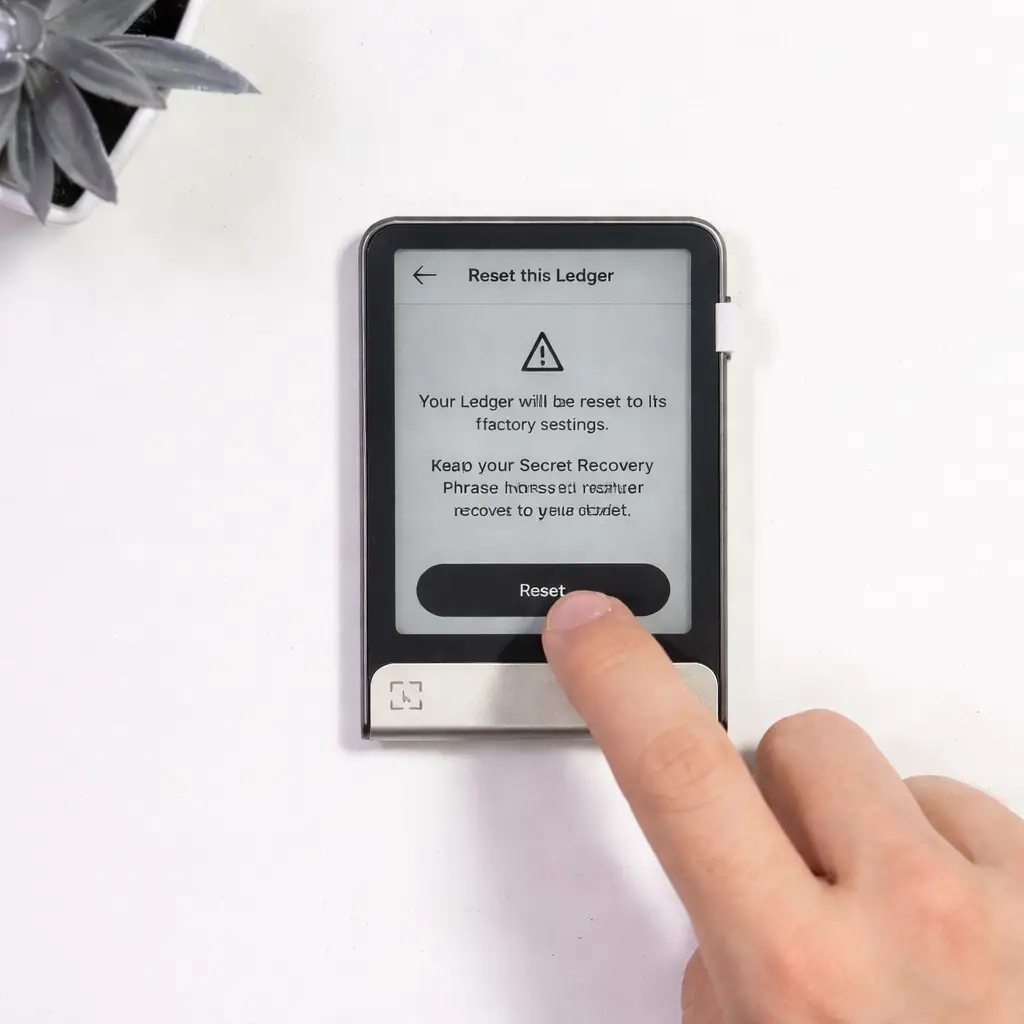
To reset a Ledger device safely, confirm your recovery phrase situation before you touch the reset flow, understand whether you plan to restore the same wallet or start a new one, and never treat reset like a casual troubleshooting shortcut. Resetting wipes the device’s local setup and access state. It does not erase blockchain assets, but it does remove your easy way back in unless the recovery phrase is still correct, private, and available.
When Reset Can Be Normal
- You still have the correct recovery phrase
- You want to restore access after a PIN issue
- You are intentionally wiping the device before repurposing it
When Reset Can Be a Bad Move
- You are not sure where the recovery phrase is
- You are using reset as a random fix for a smaller problem
- You confuse device reset with moving or deleting crypto
What a Ledger Reset Actually Does
A reset changes the device state. It does not magically move coins or recover access by itself.
A Ledger reset wipes the device’s local configuration, including access through the current PIN and the wallet state stored on that physical unit. That is why reset can be a normal step during recovery, but only when the backup side of the wallet is already under control.
If you are still learning how the device, recovery phrase, and restore path work together, start with How to Use Ledger Nano X before doing anything irreversible.
What really matters is the recovery phrase. That is the backup that allows the wallet to be restored after a reset, loss, or replacement. Without it, a reset is not just cleanup. It can become the moment you realize access cannot be rebuilt.
Read Ledger Recovery Phrase Safety if you have even slight doubt about where your backup is or how it was stored.
Good Reasons to Reset a Ledger Device
Reset is not always a mistake. It just needs the right context.
You Forgot the PIN but Still Have the Recovery Phrase
In this case, a reset can be part of the proper recovery path. The device access is gone, but the wallet can still be restored if the backup is intact.
You Want to Wipe the Device Before Repurposing It
Resetting can make sense before reusing a device for a different wallet setup, or before handing it off after you have already moved assets and no longer need the original wallet on that device.
The Device Has Already Been Reset
Sometimes users do not choose reset at all. It happens automatically after repeated wrong PIN attempts. At that point, the next question is not whether reset was good or bad. It is whether the recovery phrase is still available.
When You Should Not Reset a Ledger Device Yet
This is where avoidable losses usually begin.
You Have Not Confirmed the Recovery Phrase
If you are not sure whether the phrase is complete, readable, and truly yours, stop. Resetting before checking the backup situation is one of the easiest ways to turn confusion into permanent lockout.
You Are Trying to Fix a Smaller Issue
A reset is not the first answer to every problem. If the real issue is a cable, Bluetooth pairing, app conflict, or software connection problem, go to Ledger Not Connecting instead of wiping the device as a guess.
How to Reset a Ledger Device Safely
This is the clean decision flow that matters more than memorizing one button path.
1. Confirm the Backup First
Before you reset anything, confirm that the recovery phrase exists, is stored offline, and can actually be read. If that is unclear, do not move forward yet.
2. Decide the Goal
Are you resetting in order to restore the same wallet, or are you wiping the device to start a completely new wallet later? Those are different outcomes, and confusing them causes mistakes.
3. Complete the Reset Only After the First Two Are Clear
Once the backup and goal are clear, reset becomes an operational step instead of a panic move. Only then should you proceed to the device reset flow and the setup path that follows.
Safe Ledger Reset Checklist
Use this checklist before you wipe the device.
- Confirm you still control the correct recovery phrase
- Keep the phrase offline and private during the whole process
- Know whether you will restore the same wallet or create a new one
- Do not use reset as a random fix for connection issues
- Do not enter the recovery phrase into any website, chat, or email form
What Happens After You Reset a Ledger Device?
The answer depends on which path you choose after the wipe.
If You Restore the Same Wallet
After a reset, you can restore the same wallet by using the original recovery phrase on the device restore flow. You will create a new PIN, reconnect the device, and rebuild access to the same underlying wallet rather than a different one.
If You Set It Up as a New Device
If you choose the new-device path after reset, the device will generate a brand new wallet and a brand new recovery phrase. That is only correct when you truly want a different wallet, not when you are trying to regain access to old assets.
Does a Ledger Reset Erase Your Crypto?
No. A Ledger reset does not erase assets from the blockchain. What it erases is the device’s local state and your access path through that specific setup. That is why the reset itself is not the real risk. The real risk is resetting without a safe path back through the recovery phrase.
If you are dealing with a missing or damaged device rather than an intentional reset, the closer match is Lost Ledger but Have Recovery Phrase?.
What If the Device Reset After Wrong PIN Attempts?
This happens more often than people expect because stress makes random guessing feel productive. If the device has already reset itself after repeated wrong PIN entries, the next step is not to panic about the hardware. The real question is whether the recovery phrase is ready for a restore.
If your situation began with a forgotten PIN, pair this page with your dedicated recovery decision path rather than improvising from memory.
What You May Need to Do After Restoring
After restoring the wallet, you may still need to reconnect the device to your usual workflow, reinstall the apps you use, and add accounts back into the portfolio view. That can feel like something is missing, but in many cases it simply means the interface needs to be rebuilt after the reset.
If the device or app still behaves strangely after restoration, use Ledger Not Connecting before assuming the wallet itself is gone.
Common Mistakes When Resetting a Ledger Device
Most reset problems are decision mistakes, not technical ones.
Resetting Before Checking the Phrase
Users often assume they can sort the backup out later. That is backwards. The recovery phrase should be the first thing you verify, not the last.
Choosing “New Device” by Accident
After reset, people sometimes move too fast and start a brand-new wallet when their real goal was to restore the old one. Slow down and pick the right path intentionally.
Typing the Phrase Online
The restore process should stay on the proper device path. A reset is exactly when phishing pages and fake support requests become dangerous because the user feels urgent and exposed.
Why Reset Safety Is Really About Recovery Safety
Users sometimes treat reset like a hardware operation only, but in practice it is a recovery operation. The device can be wiped and replaced. What decides whether access comes back cleanly is the recovery phrase, the restore choice, and whether you stay away from fake support or fake app flows during that process.
For the broader security picture beyond reset alone, read Is Ledger Safe?.
Who This Ledger Reset Guide Is Best For
Best Fit For
- Users deciding whether reset is safe in their situation
- People recovering from a PIN lockout with the phrase still available
- Ledger owners who want to wipe a device carefully before repurposing it
- Readers who want to understand what changes after a reset
Less Useful For
- Users whose main problem is cable, Bluetooth, or app connection
- Buyers still researching whether to purchase Ledger at all
- People who already completed a restore and only need app troubleshooting
- Cases where the recovery phrase has already been exposed online
How to Reset a Ledger Device Safely FAQ
How do I reset a Ledger device safely?
First confirm the recovery phrase situation, then decide whether your goal is to restore the same wallet or start a new one. Only after that should you complete the device reset flow.
Does resetting a Ledger delete my crypto?
No. Resetting wipes the device setup, not the assets on the blockchain. What matters is whether you still have the correct recovery phrase to restore access.
Can I reset a Ledger without the recovery phrase?
You can reset the device, but that does not mean you can restore the old wallet afterward. Reset without a recovery phrase is only safe when you intentionally no longer need that old wallet on the device.
What happens after resetting a Ledger?
After reset, you either restore the existing wallet with the original recovery phrase or create a completely new wallet with a new phrase. Those two paths are very different, so do not rush the choice.
Should I reset my Ledger to fix connection problems?
Usually no. If the real issue is connection, app detection, USB, or Bluetooth behavior, troubleshoot that first instead of wiping the device as a guess.
Our Final Verdict
How to reset a Ledger device safely is really about understanding consequences before pressing forward. Reset can be a completely normal part of recovery or device cleanup, but only when the backup side is already secure and the next step is clear.
The safest rule is simple: do not treat reset like a shortcut. Verify the recovery phrase first, know whether you are restoring or starting over, and keep the whole process inside a clean, private, device-based recovery flow.