How to Receive Crypto on Ledger Safely Without Using the Wrong Network
How to receive crypto on Ledger safely is one of the most important everyday wallet skills because a simple receiving mistake can be hard to reverse. The biggest risks are usually not hidden inside the device itself, but in the steps around it: using the wrong network, trusting the wrong address, copying the wrong thing, or skipping on-device verification. This guide explains how to receive crypto on Ledger safely, what to check before you copy any address, and what to do if something does not look right.
Quick Answer
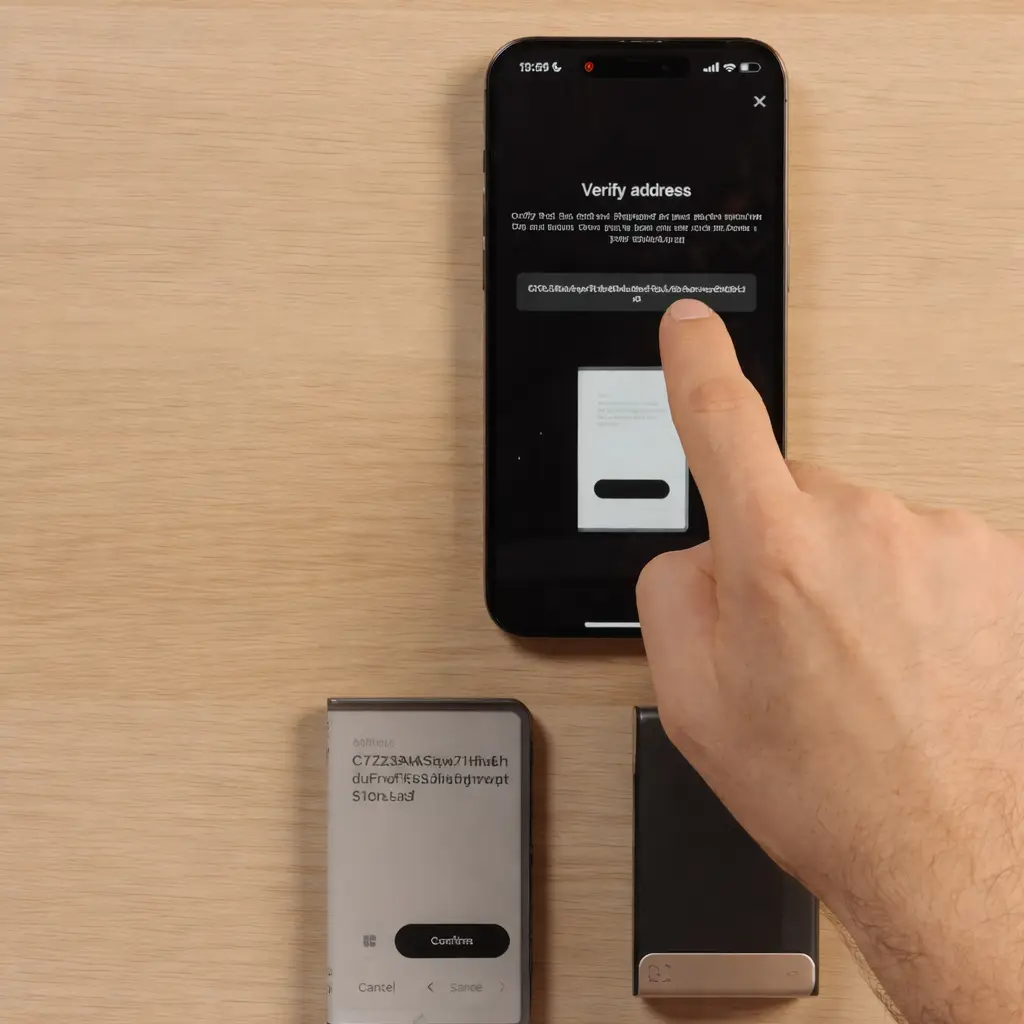
To receive crypto on Ledger safely, open the correct account, start the receive flow from the official app, verify the address on the Ledger device screen, and make sure the sending platform is using the exact same network. Do not rely on memory, recent clipboard history, or a copied address from an old transaction. A safe receive flow is slow, deliberate, and verified on-device before any funds are sent.
Why This Matters
- Receiving is one of the first real Ledger actions many users take
- Wrong-network mistakes can create serious confusion or loss
- On-device verification is one of the biggest security benefits of Ledger
What Usually Goes Wrong
- Using the wrong network from an exchange or wallet
- Trusting an address without verifying it on the device
- Copying the wrong address from history, messages, or poisoned transactions
What to Check Before Receiving Crypto on Ledger
The safest receive flow starts before you copy any address.
Before receiving crypto, make sure you are using the correct Ledger device setup, the correct account, and the correct app environment. If you recently restored the device, changed phones, reinstalled the app, or added accounts again, pause and confirm that you are looking at the exact wallet context you expect to use.
If you are still at the general beginner stage, read How to Use Ledger Nano X first so the receive flow fits into the full setup process.
You should also think about where the funds are coming from. Receiving from another self-custody wallet is different from withdrawing from an exchange. The most common receiving mistake is not the Ledger device itself. It is sending over the wrong network because the sending side and the receiving side were not matched carefully.
If network fit is especially important for what you hold, such as certain stablecoin routes, it can help to review Best Hardware Wallet For USDT TRC20 for the network-specific mindset behind safe transfers.
Receiving Crypto Safely Is About Verification, Not Speed
Many users think receiving is the easy half of crypto because they are not actively sending money out. But receiving carelessly can still create serious problems. The address must be correct, the network must match, and the device screen should be trusted over whatever the computer or phone is showing.
One of the main reasons to use Ledger is that the device gives you a trusted verification layer. If you skip that layer, you are giving up one of the biggest safety advantages of the wallet.
How to Receive Crypto on Ledger Safely
This is the cleanest safe flow for most users.
1. Open the Correct Account First
Start from the exact account you want to receive into. Do not assume that similar-looking assets or chains can share the same receive path safely. Small differences in network selection can matter a lot.
2. Begin the Receive Flow Inside the Official App
Use the normal receive path in the official Ledger app environment rather than copying old addresses from screenshots, chats, or previous notes. A fresh receive flow gives you the best chance to verify everything correctly.
3. Verify the Address on the Device Before You Use It
The address shown in the app should be checked against what the Ledger device itself displays. The device screen is the trusted final step. Do not treat that comparison like a formality.
Ledger Receive Checklist
Use this before copying or sharing any address.
- Use the correct account for the asset you want to receive
- Start from the official app’s Receive flow
- Verify the address on the Ledger device screen
- Match the sending and receiving network exactly
- Slow down before copying, sharing, or pasting the address
Why On-Device Address Verification Matters So Much
This is the part that protects you from trusting the wrong screen.
The App Screen Is Helpful, but the Device Screen Is the Trust Layer
Your computer or phone can be convenient, but it is not the final trust anchor. The reason Ledger asks you to verify on-device is to make sure the address you use is the one the device itself confirms, not just whatever happened to appear on the host device.
Do Not Rush Past the Last Safety Check
Users often get sloppy here because receiving feels passive. But the safe habit is to compare carefully, not glance quickly. The whole point of the device screen is to slow you down at the exact moment accuracy matters.
How to Avoid Using the Wrong Network When Receiving Crypto
This is one of the most expensive receiving mistakes.
The network has to match from end to end. If you are withdrawing from an exchange, do not just choose the cheapest or fastest-looking route without confirming that the receiving account is meant for that exact network. Similar asset names can trick people into thinking different chains are interchangeable when they are not.
A good habit is to read the sending screen carefully, compare the network labels, and stop if anything looks ambiguous. If you are ever unsure, sending a small test amount first is far safer than treating the first full transfer like an experiment.
Why a Small Test Transfer Can Be Worth It
Especially when the amount matters or the network choice feels unclear.
A small test transfer adds one more confirmation step before you move a larger amount. It is not mandatory for every routine receive, but it is often a sensible choice when you are using a new exchange, a new asset, a new network route, or a wallet setup you have not used in a while.
A test amount cannot fix a wrong network by itself, but it can reveal a mismatch before the larger transfer follows.
Why You Should Not Reuse Random Old Addresses from History
Users sometimes copy an address from an old transaction, a previous message, or their clipboard history because it feels faster than running the receive flow again. That shortcut is exactly how mistakes creep in. You can end up using the wrong account, the wrong asset context, or even a poisoned transaction history entry.
The safer habit is simple: generate the receive flow fresh, then verify the address on the device before you share or use it.
What If the Address, Account, or Balance Looks Wrong?
If the app is not showing the account you expect, or if the balance looks incomplete after a transfer, do not jump straight to panic. First confirm that you are using the correct account and the correct network. Then check whether the interface needs to refresh, resync, or re-add the account view.
Go to Ledger Live Not Syncing? if the issue feels like a display or refresh problem, or use How to Add Accounts in Ledger Live the Right Way if the account itself is not appearing as expected.
Common Mistakes When Receiving Crypto on Ledger
Most of these mistakes happen before the transfer is even sent.
Skipping On-Device Verification
This removes one of the strongest reasons to use Ledger in the first place. If you do not compare the address on the device, you are trusting the host screen more than you should.
Choosing the Wrong Network from the Sending Side
This is one of the biggest causes of “my funds did not arrive” panic. Similar asset names and multiple withdrawal routes make it easy to rush into the wrong choice.
Copying Old Addresses Carelessly
Reusing an address from history, screenshots, clipboard memory, or suspicious recent transactions can create avoidable mistakes. A fresh receive flow is safer.
What a Safe Receive Flow Should Never Require
Receiving crypto safely should never require you to enter your recovery phrase into a website, browser popup, support chat, or exchange form. A receive flow is about generating and verifying an address, not exposing the wallet backup.
If you want the backup side explained more clearly before moving further, read Ledger Recovery Phrase Safety.
Who This Receive Guide Is Best For
Best Fit For
- New Ledger users receiving crypto for the first time
- Users withdrawing from exchanges into self-custody
- People worried about wrong-network mistakes
- Readers who want a safer address verification habit
Less Useful For
- Users whose main issue is a forgotten PIN or reset choice
- People troubleshooting device cables or Bluetooth only
- Readers looking only for a Ledger buying guide
- Cases where the recovery phrase may already be exposed online
How to Receive Crypto on Ledger Safely FAQ
How do I receive crypto on Ledger safely?
Start the receive flow from the official app, choose the correct account, verify the address on the Ledger device screen, and make sure the sending platform is using the exact same network.
Why do I need to verify the address on the Ledger device?
Because the device screen is the trusted verification layer. It helps you confirm that the address you use is the one your Ledger itself is approving, not just what appears on the computer or phone.
What happens if I use the wrong network to send crypto to Ledger?
A wrong-network transfer can create serious problems, including funds not appearing normally or requiring extra recovery steps. That is why matching the network before sending is so important.
Should I use a small test transfer first?
It is often a smart habit when the amount is large, the network is unfamiliar, or the sending platform is new to you. A small test can reveal a mismatch before a larger transfer follows.
Can I just reuse an old receive address from history?
It is safer to generate the receive flow again and verify the address on-device rather than relying on old screenshots, chat messages, or copied transaction history.
Our Final Verdict
How to receive crypto on Ledger safely comes down to doing three things well: using the correct account, verifying the address on the device, and matching the network exactly before anything is sent.
The biggest receiving mistakes usually come from rushing what feels like a simple step. A calm receive flow, a fresh address check, and one extra moment of verification can prevent problems that are much harder to fix later.